Your device needs to be connected to the internet.
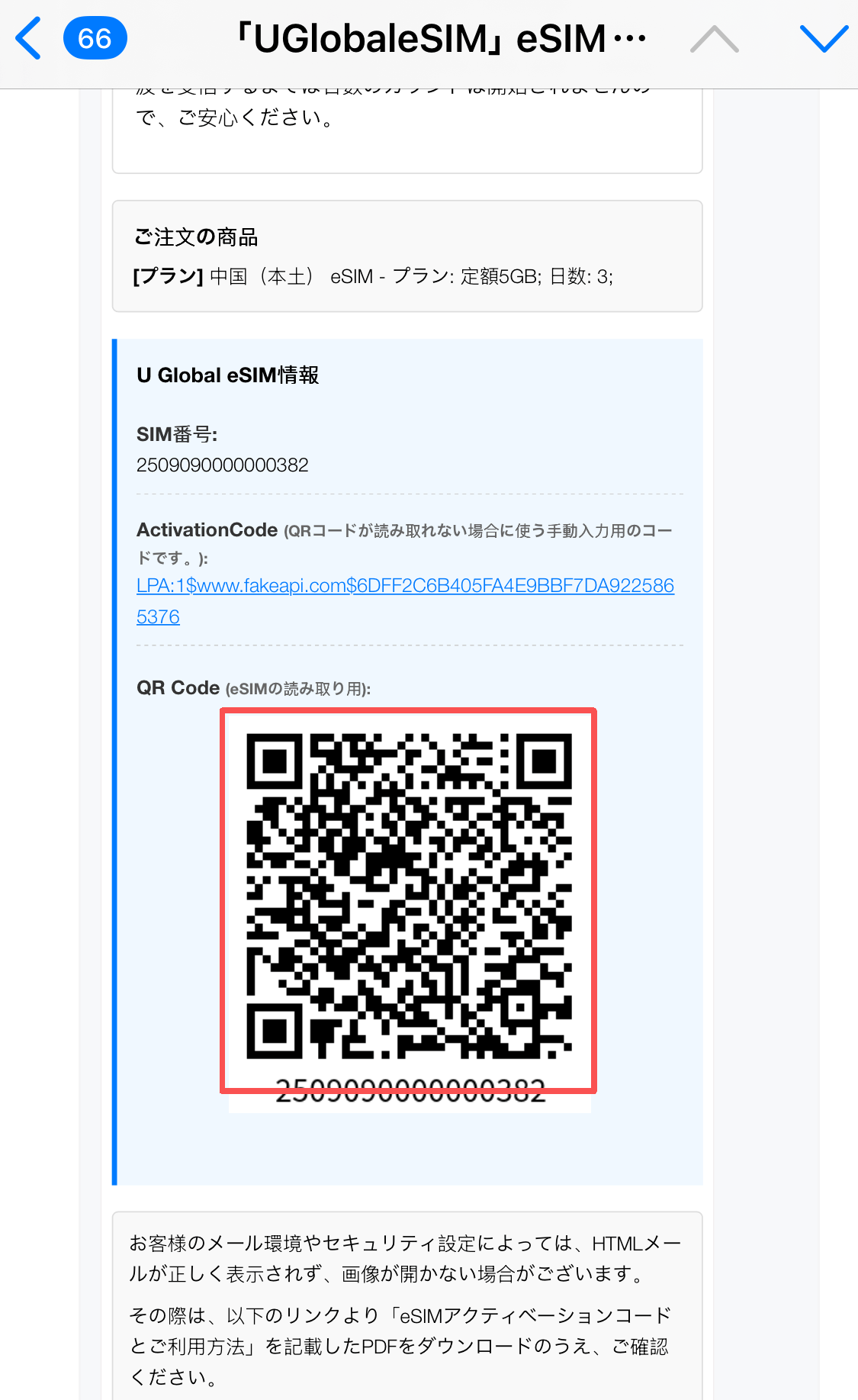
QR Code
You can check by email.
eSIM setup procedure
QR code settings
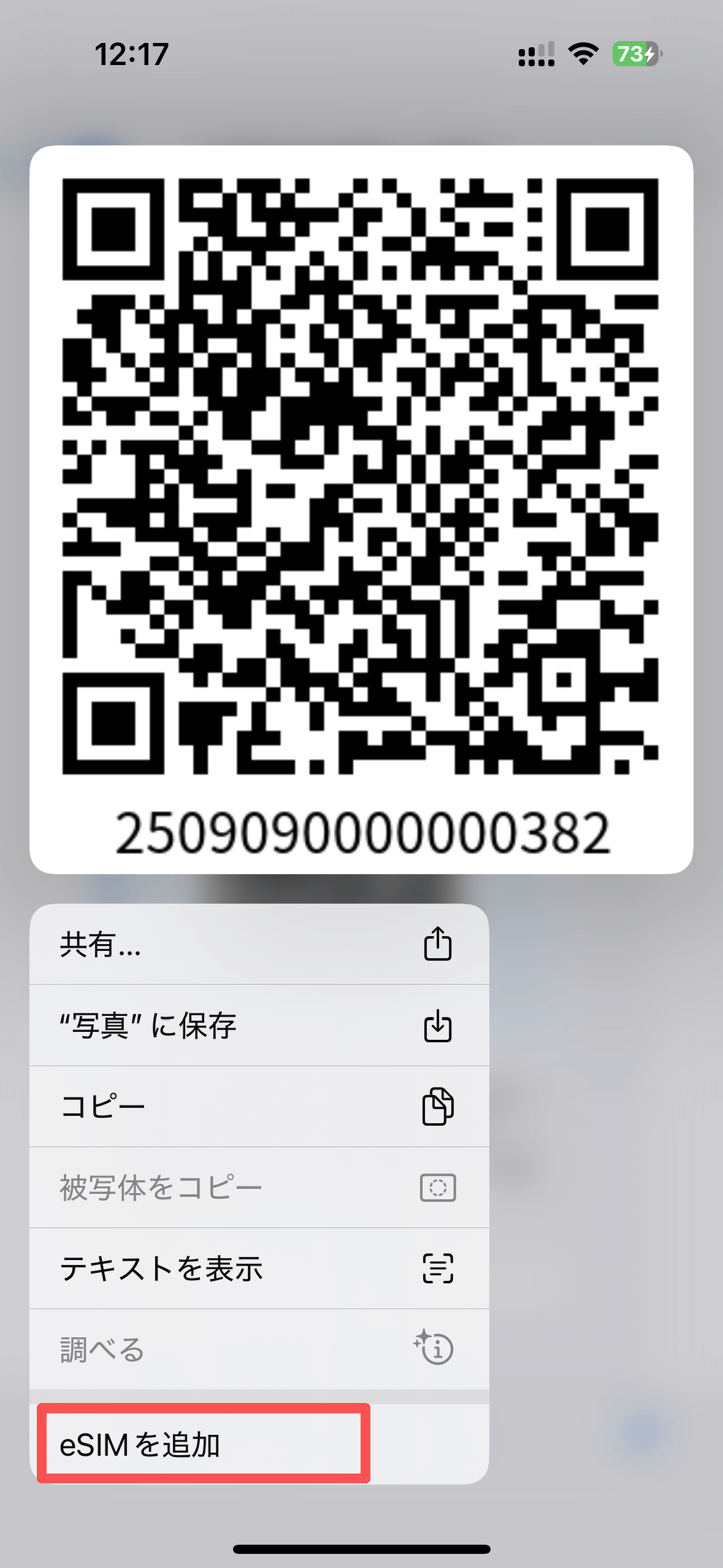
01Press and hold the QR code in the email you received and tap "Add eSIM."
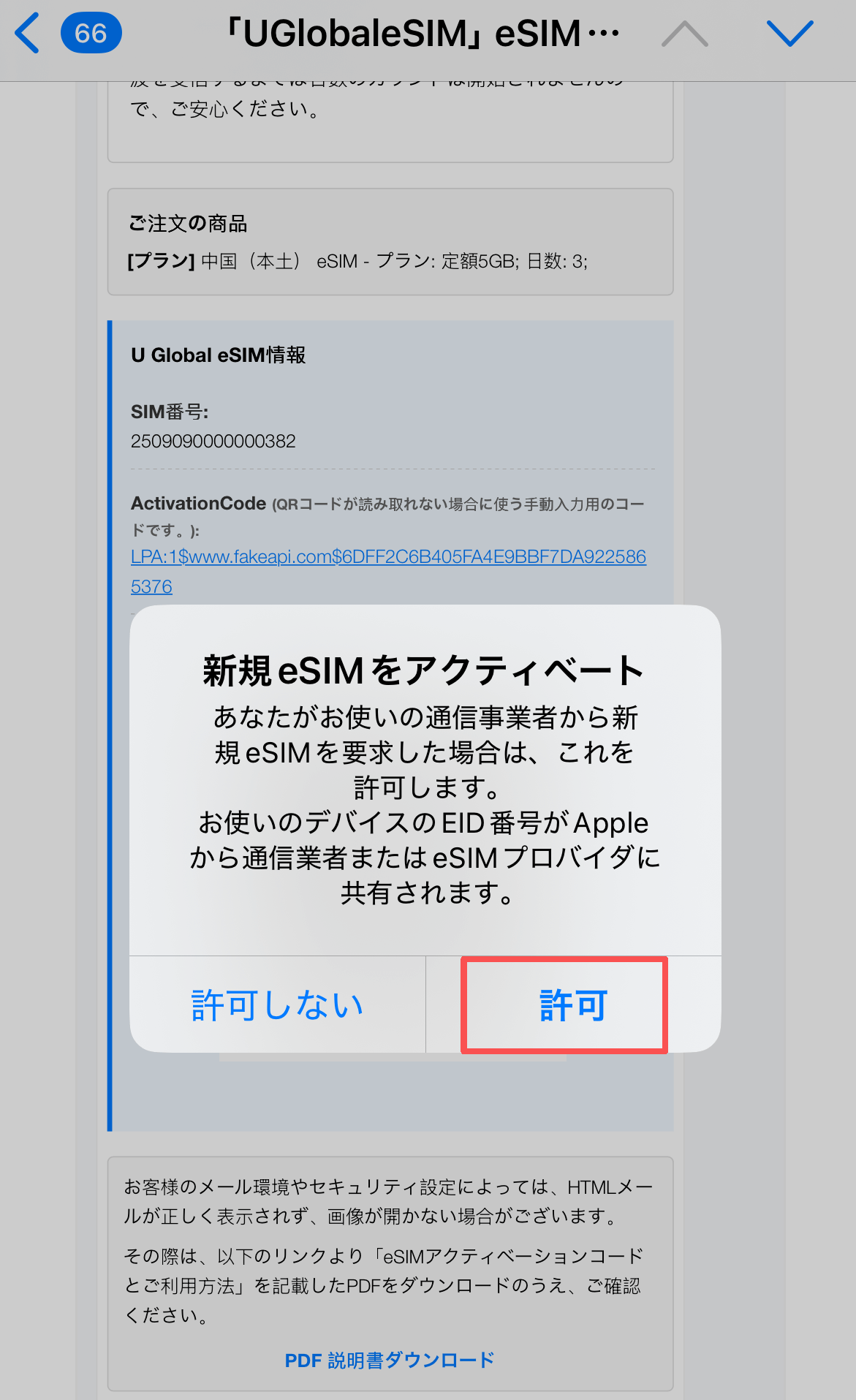
02Select "Allow" to "Activate a new eSIM."
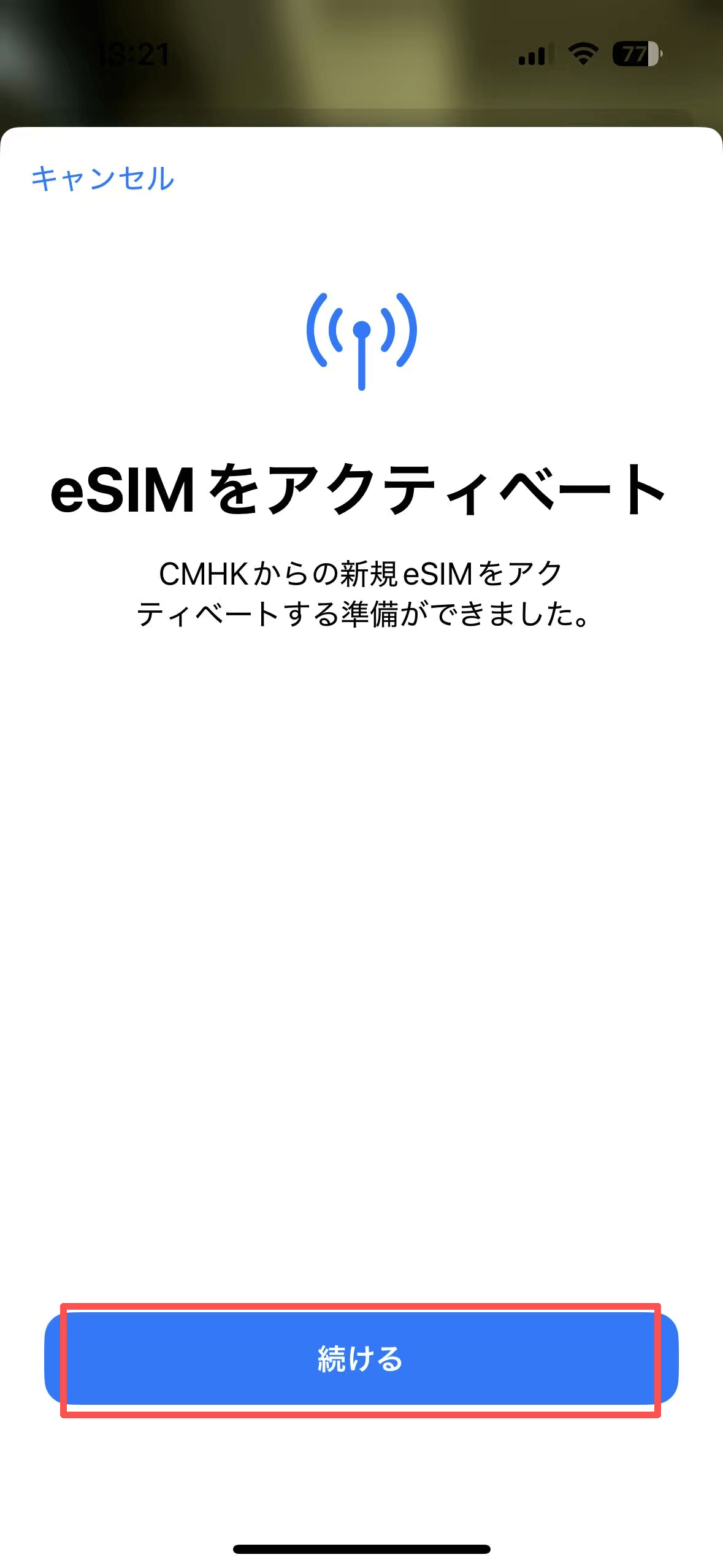
03Press "Continue" and follow the on-screen instructions to activate your eSIM.
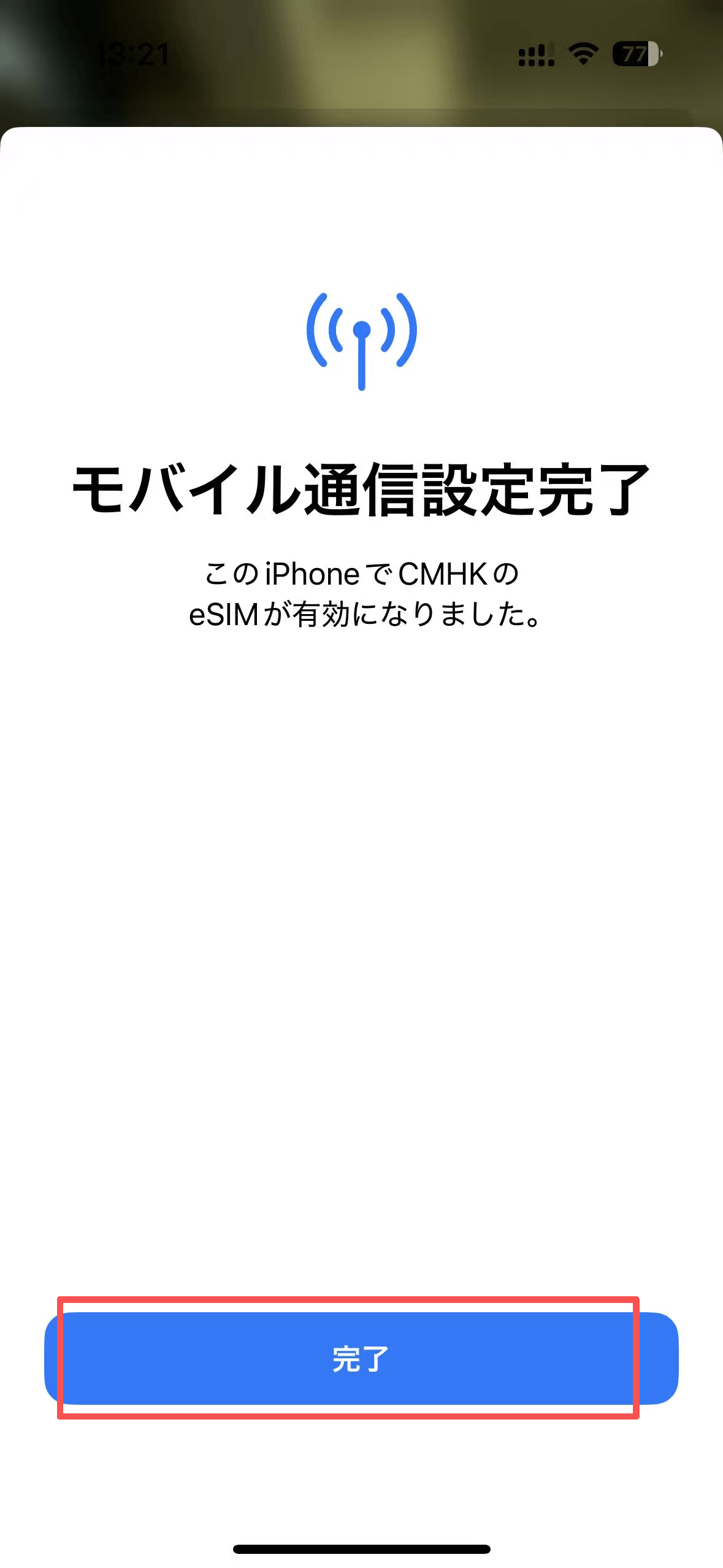
04Click "Finish" to complete the activation setup.。
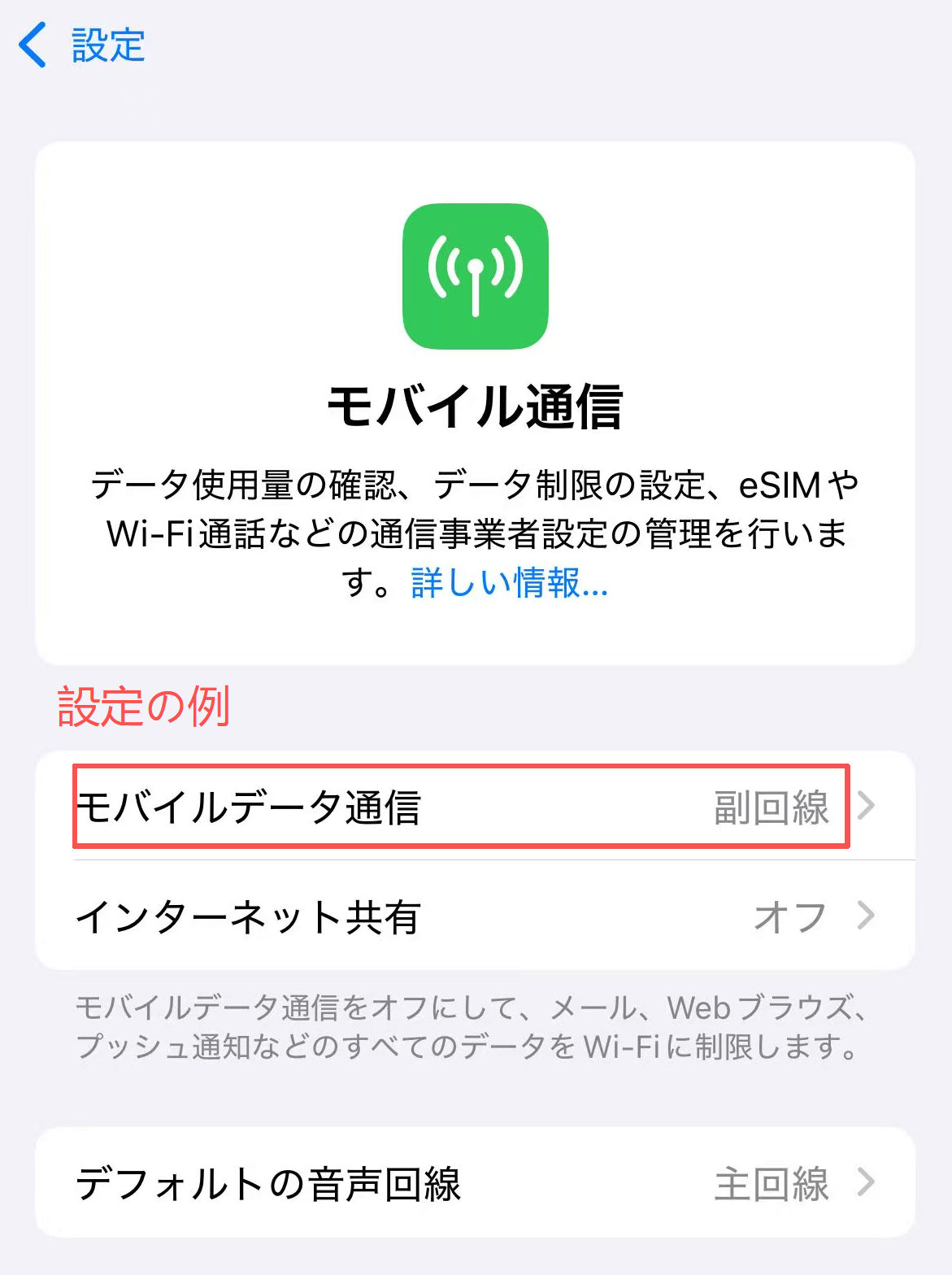
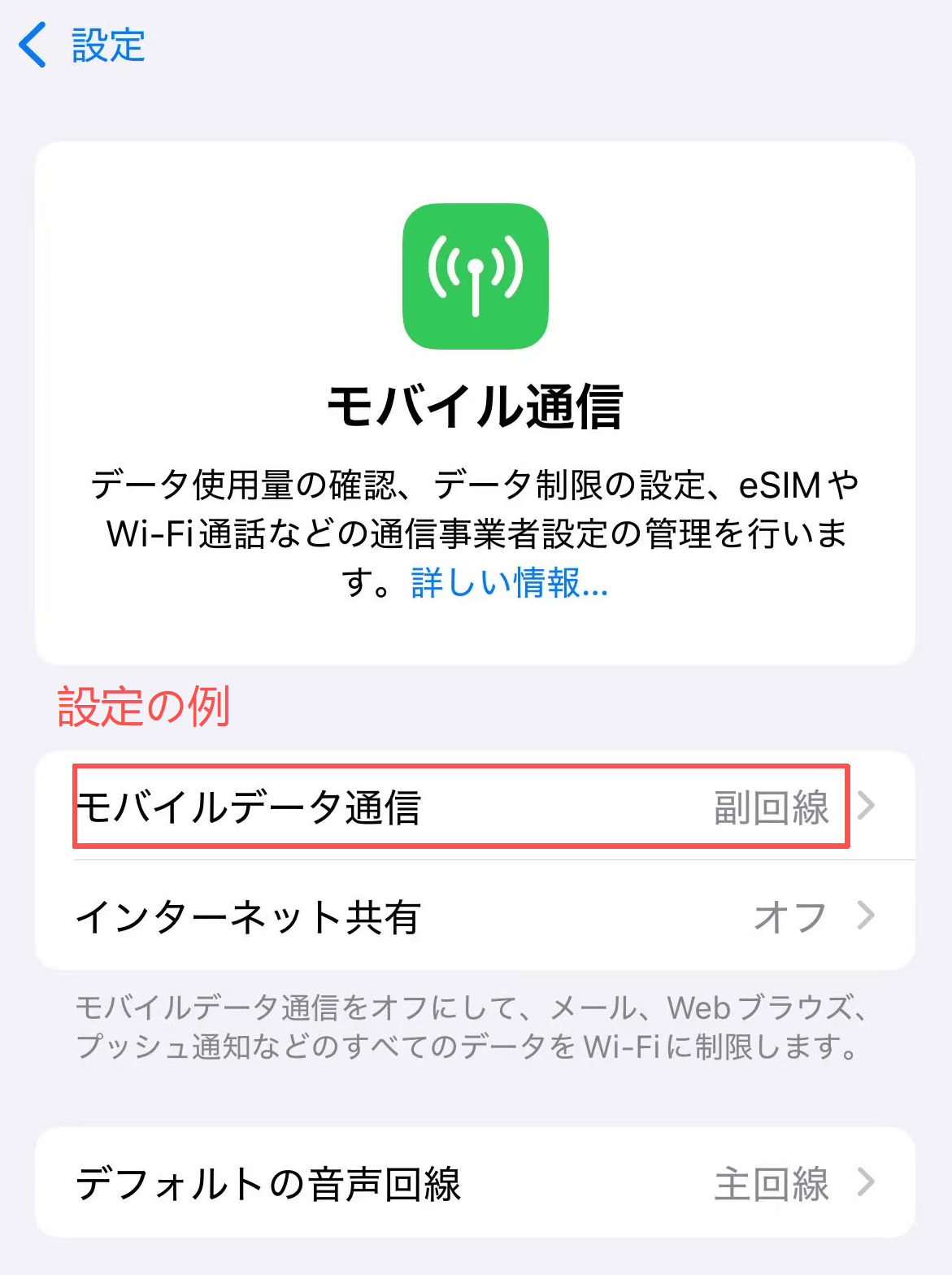
05Open "General" ⇒ "Mobile Data" and select "eSIM" for mobile data.
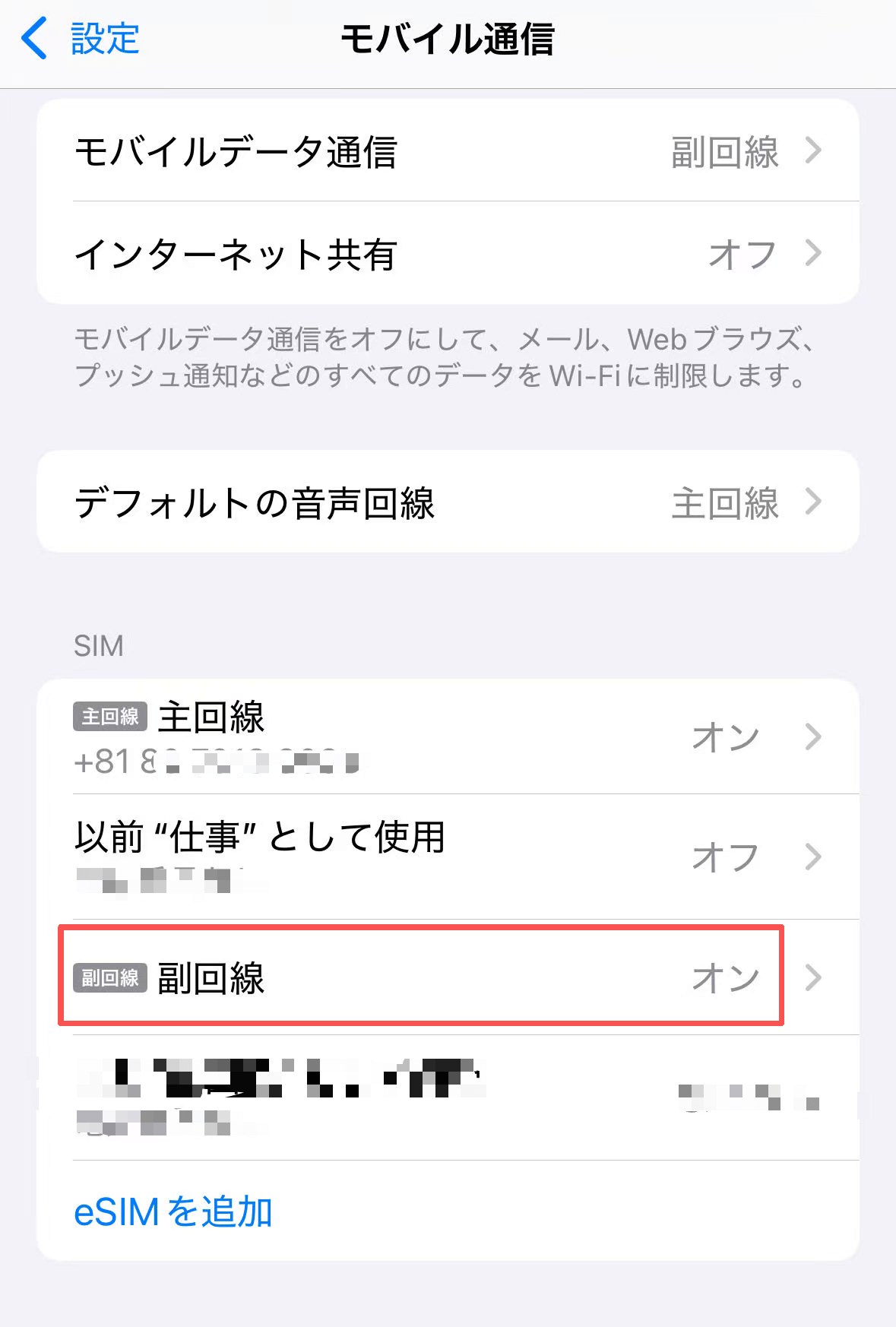
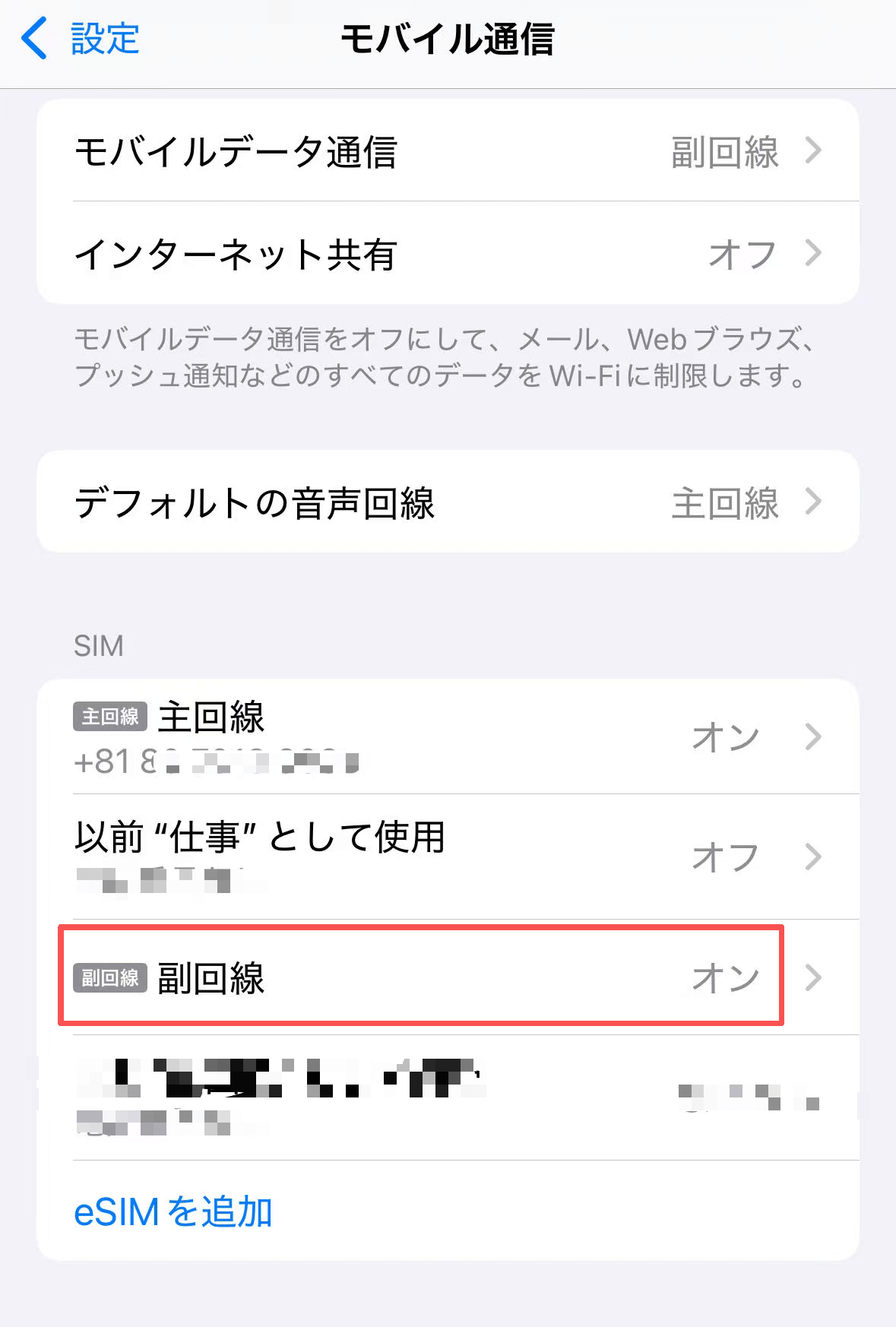
06Touch the eSIM line from the SIM list.
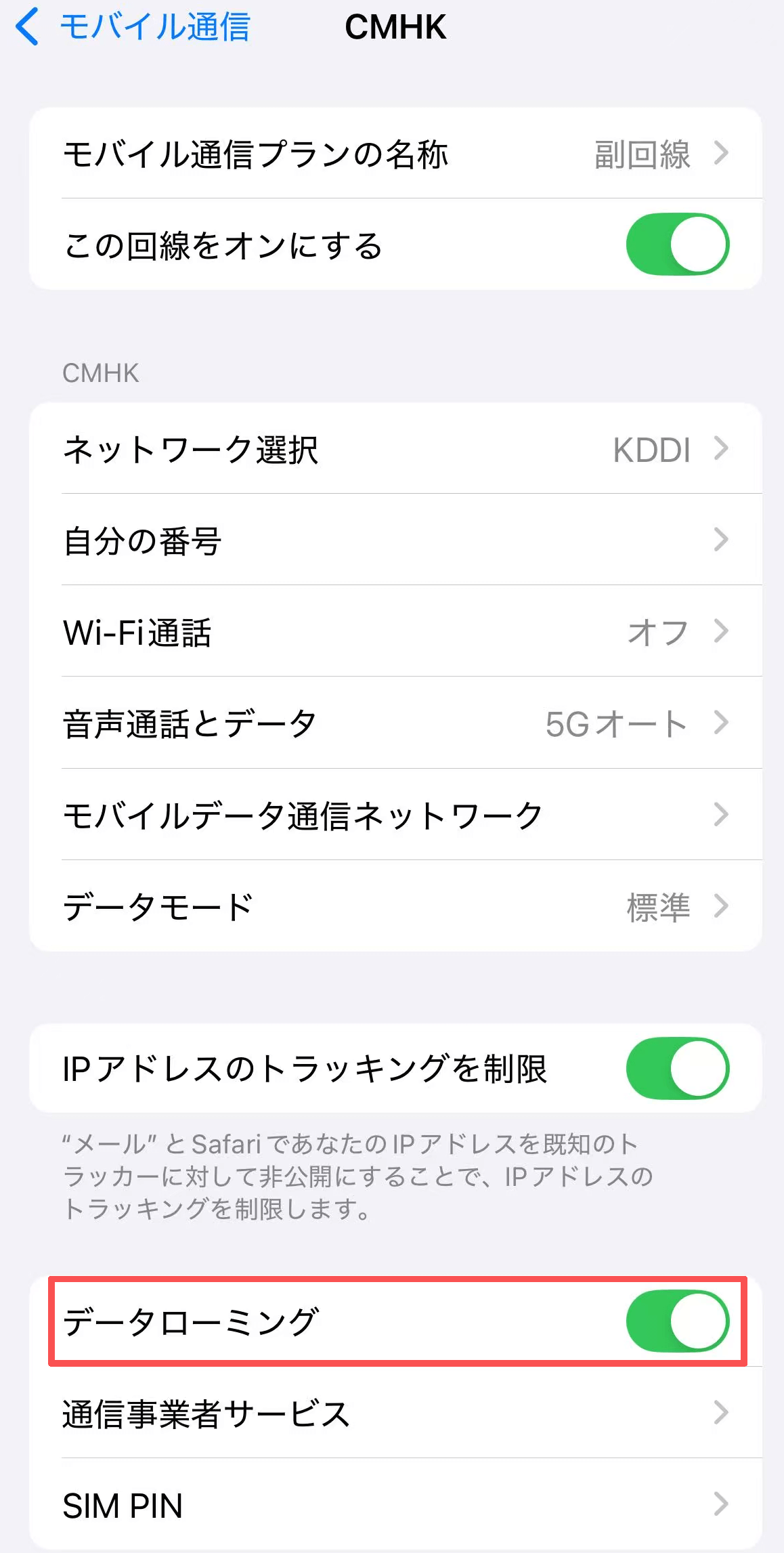
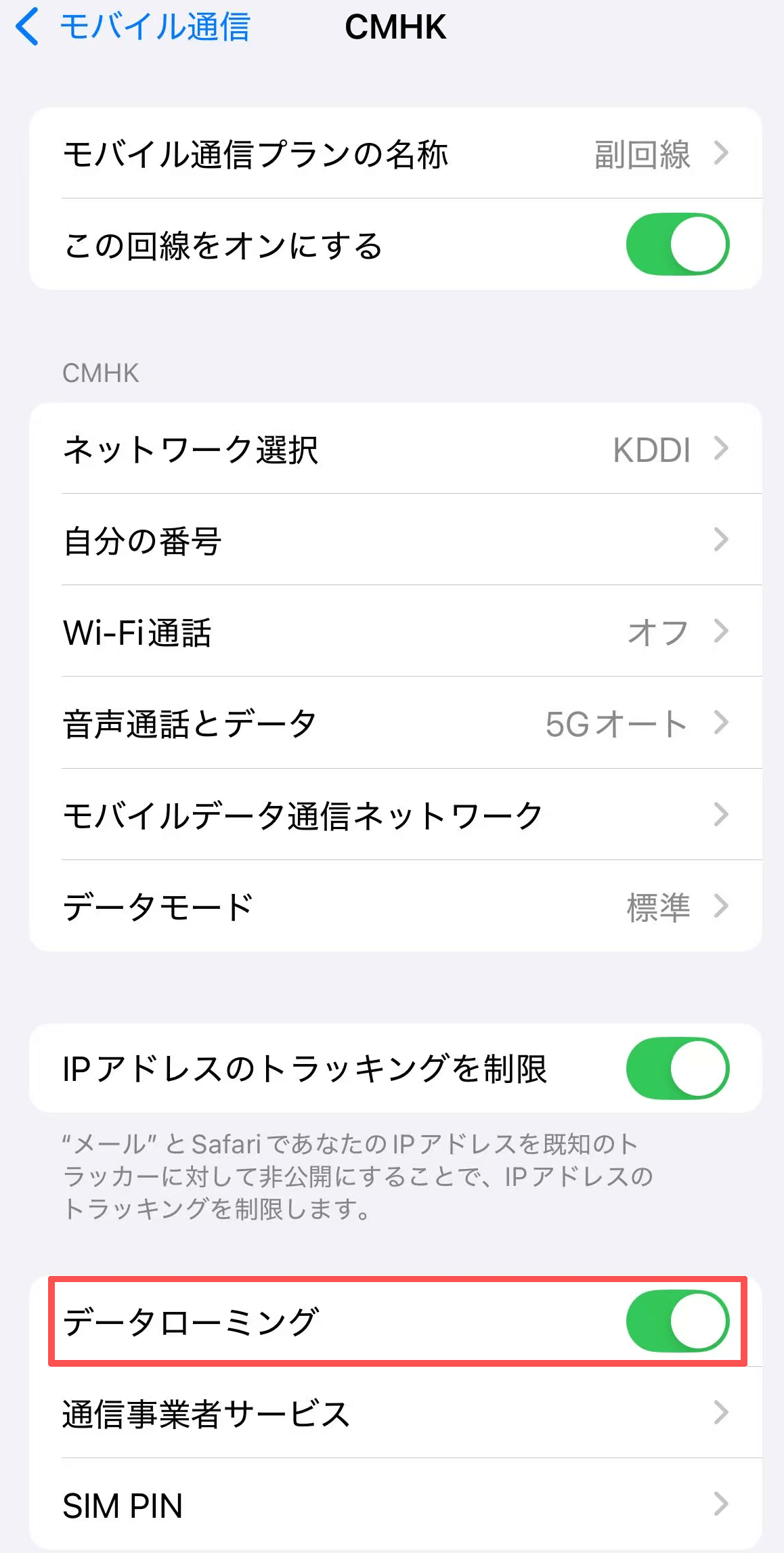
07Turn on 'Data Roaming' and you're done.
If you cannot read the QR code
(Manual input)
01
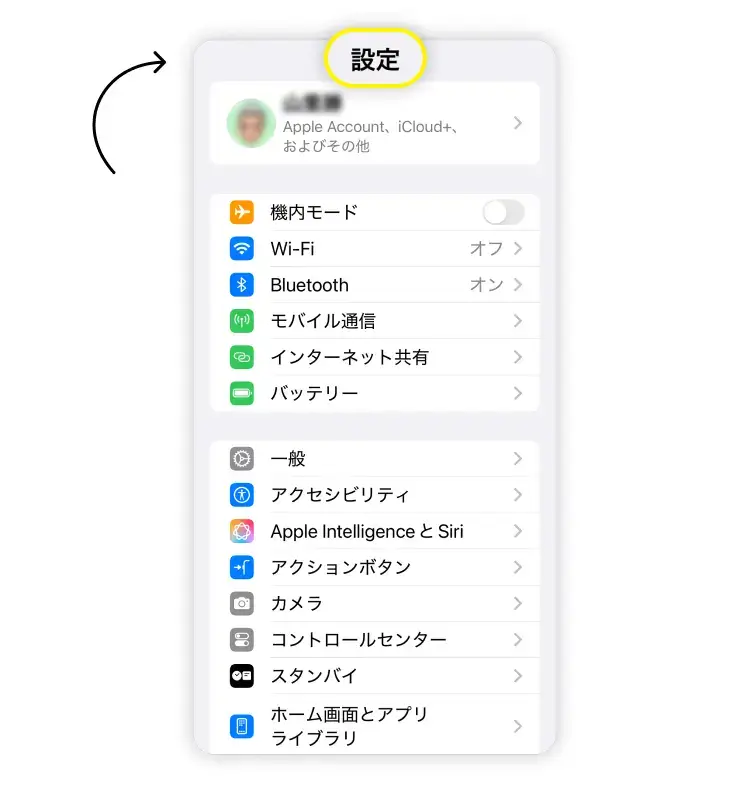
Open Settings on your iPhone.
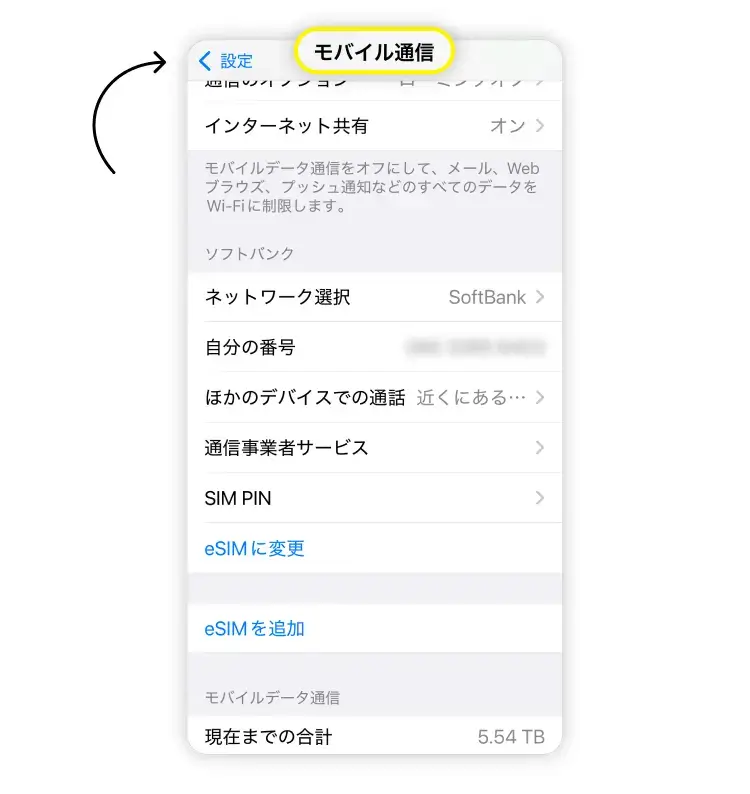
02Select "Mobile Communications."
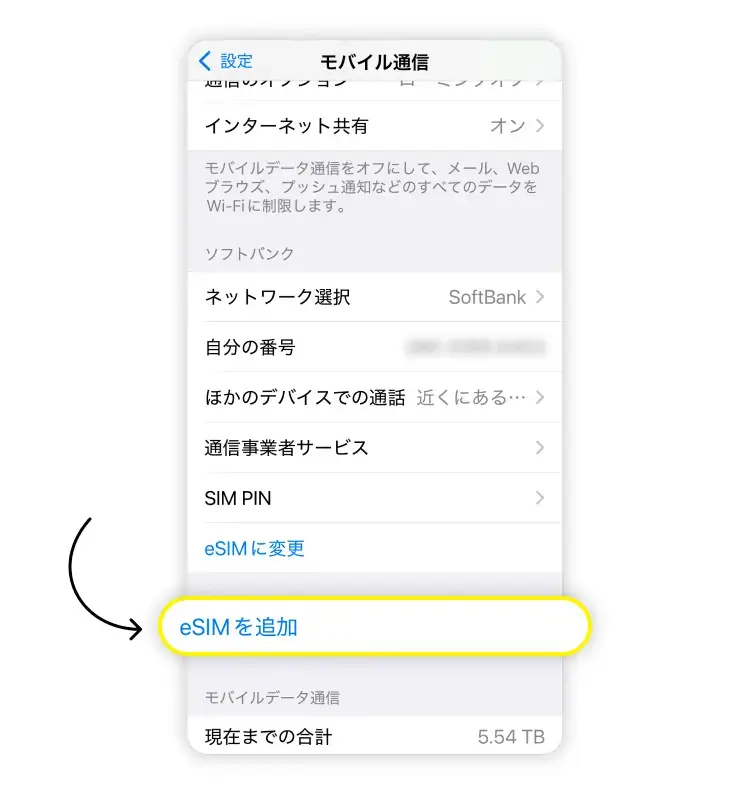
03Tap "Add eSIM".
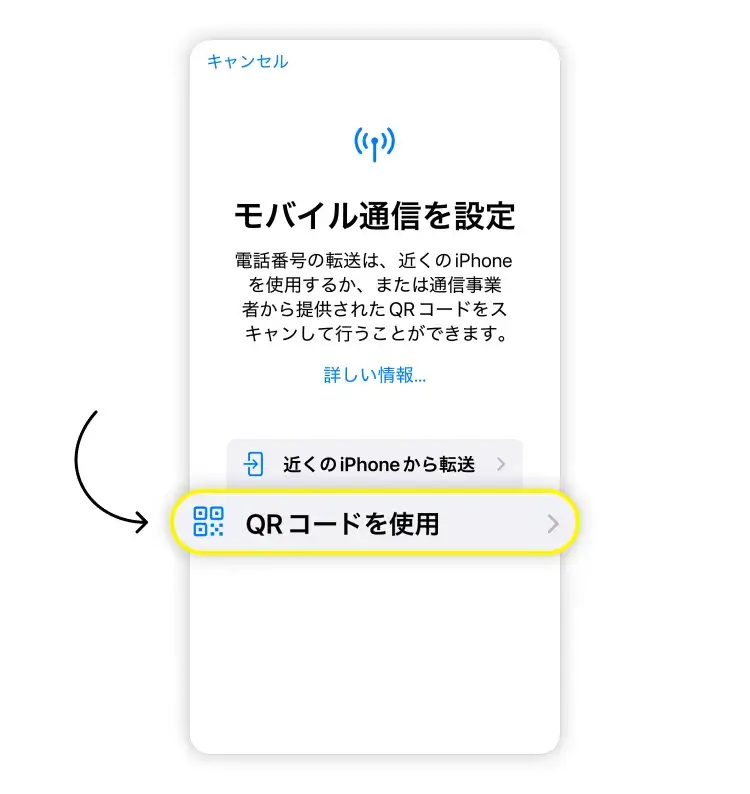
04Tap "Use QR Code."
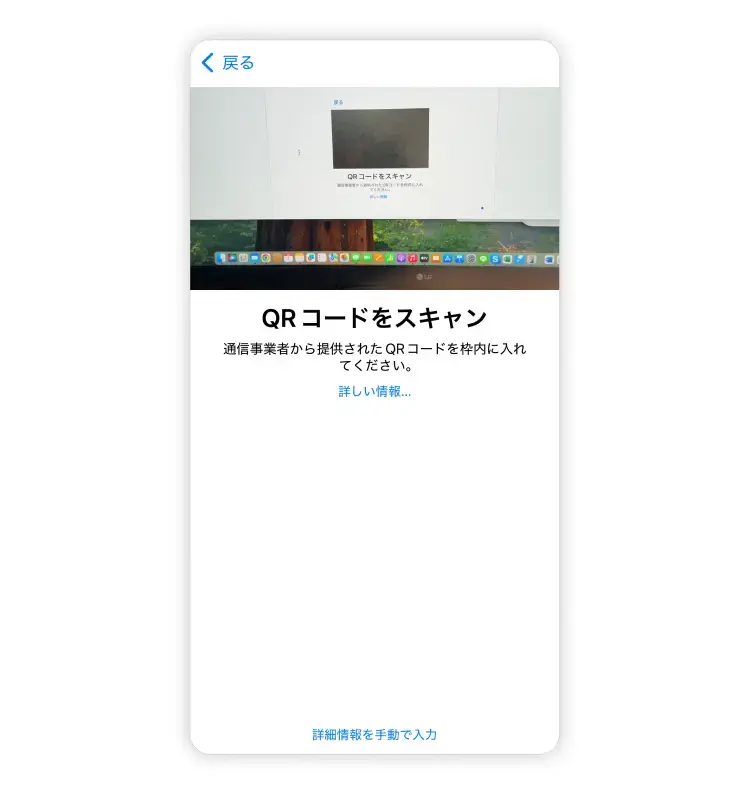
05If you cannot read the QR code, tap "Enter details manually", copy and paste the Activation Code (LPA:****************) from the email, and follow the on-screen instructions to complete the activation.
06Open "General" ⇒ "Mobile Data" and select "eSIM" for mobile data.